
Steam Region Change
$ 15,00
Change your Steam region to save between 50% and 90% on games.
Everything You Need to Know
- If you recently topped up your wallet or bought a game, wait at least 48 hours before requesting a change. Your funds will be converted to the new currency automatically once the region switches.
- If your account is brand new, complete your profile and wait at least 4 days before requesting a change.
- If your region has already been changed before, a 3-month cooldown applies before another change is possible. You can verify your last change at store.steampowered.com/account/history. Feel free to reach out once the cooldown is over.
- Steam Guard must be enabled. Temporary login access will be requested to complete the process.
- You cannot join a Family Sharing group if the other accounts are in different countries. If you join one after the region change, game sharing works normally.
- The game Throne and Liberty is not available in Ukraine. Argentina is a good alternative if you need access to it.
- 🇰🇷 Korean accounts: a region change is not recommended — there is a high chance the account will be restricted.
- A random cheap game is purchased on your Steam account using a local debit card from the target region. Once the purchase is confirmed, your region and currency update automatically and the store prices drop by up to 10×.
- The entire process takes only a few minutes. You do not need to log out at any point.
- A QR code can be sent for you to scan with the Steam mobile app so you don't need to share your password. You can de-authorize the device after the change is complete.
🇺🇦 Ukraine is the recommended choice — it offers the lowest prices overall, no accounts have ever been reverted, and gift cards from many currencies are accepted.
Other popular options:
- 🇰🇿 Kazakhstan — very cheap; USD and most global gift cards work.
- 🇮🇳 India — solid prices; INR gift cards supported.
- 🇦🇷 Argentina — currency switched to USD in Nov 2023; USD, EUR and most global gift cards work.
- 🇹🇷 Turkey — also switched to USD in Nov 2023; same gift card support as Argentina.
Use SteamDB or Augmented Steam to compare prices across regions before deciding.
These steps are important. Read them carefully and revisit occasionally as they may be updated.
- Wait at least 72 hours (3 days) before changing your password.
- Wait at least 96 hours (4 days) before buying games or in-game items, using the market, redeeming gift cards, refunding games, or sending/accepting gifts.
- Do NOT add funds or make purchases with a debit/credit card — this may trigger an account alert. Use one of the 3 safe methods listed below.
- Do not refund the game purchased to complete your region change, or any games bought in your previous region.
- Do not gift funds from other accounts.
- Do not mass sell trading cards or skins on the Community Market.
- Do not list an item on the market to purchase it with an alternate account.
The cheapest and easiest option. Add funds at least 48 hours before the change — your balance will automatically convert to the new currency when the region switches.
Easy and convenient after your region change. Available at G2A, Offgamers, SEAGM, AR-Pay, and other online stores.
- 🇺🇦 Ukraine: UAH, INR, COL, SAR, AED, PLN and GBP gift cards work. USD and EUR are no longer accepted.
- 🇰🇿 Kazakhstan: USD and most global currency gift cards work.
- 🇦🇷 🇹🇷 Argentina & Turkey: USD, EUR and most global gift cards work (currency switched to USD in Nov 2023).
- 🇮🇳 India: INR gift cards are accepted.
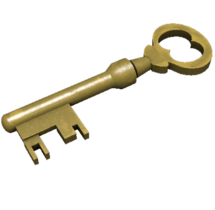
Purchase TF2 Mann Co. Supply Crate Keys or other Steam items on third-party marketplaces, then sell them on the Steam Community Market. A ~15% fee applies, but it remains the most cost-effective way to add funds.
Trusted stores: Kastell Store · DMarket · Skinport · Marketplace.tf · BitSkins · SkinBaron
Sending games to accounts in other regions is not possible due to regional price differences.
To accept a gift from an account in the same region, follow these steps:
- Open CMD and run
ipconfig /flushdnsto clear your DNS cache. - Open Steam Guard Manager and de-authorize all devices.
- Log out of your Steam account.
- Connect a VPN to the country your region was changed to (e.g. Ukraine).
- Log in and accept the gift. The VPN can be turned off afterwards.
- No customer has ever been banned. That said, Steam updates its policies regularly — while the risk is extremely low, it cannot be entirely ruled out.
- There is a less than 1% chance of receiving an account alert for "suspicious activity." This is typically caused by not following the steps above and can be resolved by contacting Steam Support. If it occurs despite following all recommendations, full guidance will be provided on what to say to unlock your account.
- Valve may revert your region without warning — this occurred with many Argentina and Turkey accounts in 2021.
- If you play 3on3 FreeStyle, a region change is not recommended — it may result in your in-game account being suspended.
Region changes are generally permanent. However, in some cases — such as account alerts or mass reversal waves (as seen in 2021 and 2023) — Steam may revert an account to its original region.
Effective April 26, 2026: if your account is reverted within the first year after purchase, you will receive a free region change.
The warranty applies as long as the guidelines in the After Your Region Changes section are followed. Free re-changes will not be issued if the reversal is caused by actions such as:
- Purchasing games with a debit/credit card after the region change.
- Adding funds too soon after the region change.
- Any other action that goes against the recommended steps.
Related products
-
Discord Server Boosts at $1 each. Available in 1, 2 or 3-month durations, up to 28 boosts per month. Minimum order: $9. Only your server invite link is needed.…
-
TF2 Mann Co. Supply Crate Keys: $1.90 USD each. Minimum order: 5 keys.
-
Custom service request. Contact us via order chat or through Discord to describe what you need.
-
Pick the desired account name and region. The original e-mail is included.